Guide treatment: System. Essential guidance is in the page content below.

Security Centre
Canary monitoring
A canary is a small Bitcoin deposit associated with one key. If the canary moves, Vault Watcher alerts you to investigate that key. An unchanged canary is a useful security signal, not proof the key is secure.
One small signal around one key
A canary is a watch-only signal concerning one key. It is not a lock, a proof, or a guarantee about the whole vault.
- A moved canary on one key is a reason to treat that key as suspect and rotate it.
- An unchanged canary is useful negative evidence, nothing more.
Investigate the key. Do not assume the vault moved.
One canary moving does not mean your vault has moved.
TBA vaults use 2-of-3 security. One key alone cannot spend the vault. A moved canary is a reason to investigate that key and contact your adviser.
Do not move your Bitcoin simply because a canary alert appears. First investigate the alert and contact your adviser.
The practical next step is usually to investigate the affected key with your adviser and, if required, replace it and create a new vault.
Useful signal, not proof
An unchanged canary is a useful security signal. It does not prove the key is safe, and it does not confirm that nothing else is wrong.
Treat Intact status in Vault Watcher the same way: a watch status, not a security guarantee.
What Vault Watcher can and cannot do
It can
- Show vault status as a watch-only dashboard
- Check for canary changes and alert you when movement is detected
- Give a home-screen glance at canary status
It cannot
- Hold keys, sign transactions, or send Bitcoin
- Act as a real-time intrusion detection system
- Prove a key is secure, or guarantee that a vault is untouched
Canary monitoring is not a real-time intrusion detection system. Vault Watcher checks for changes and alerts you when movement is detected.
Think of Vault Watcher as a dashboard, not a wallet. Watch only. Observe, do not control.
Canary monitoring inside Vault Watcher
Canary monitoring is a capability inside TBA Vault Watcher, not a separate product. Version 2.1 adds canary monitoring, home-screen widgets, and full iPhone and iPad support.
You can review canaries in Settings under App Configuration. Your key setup and monitoring history stay on the device. TBA does not receive or store them. Checks use a public blockchain provider and may be delayed.
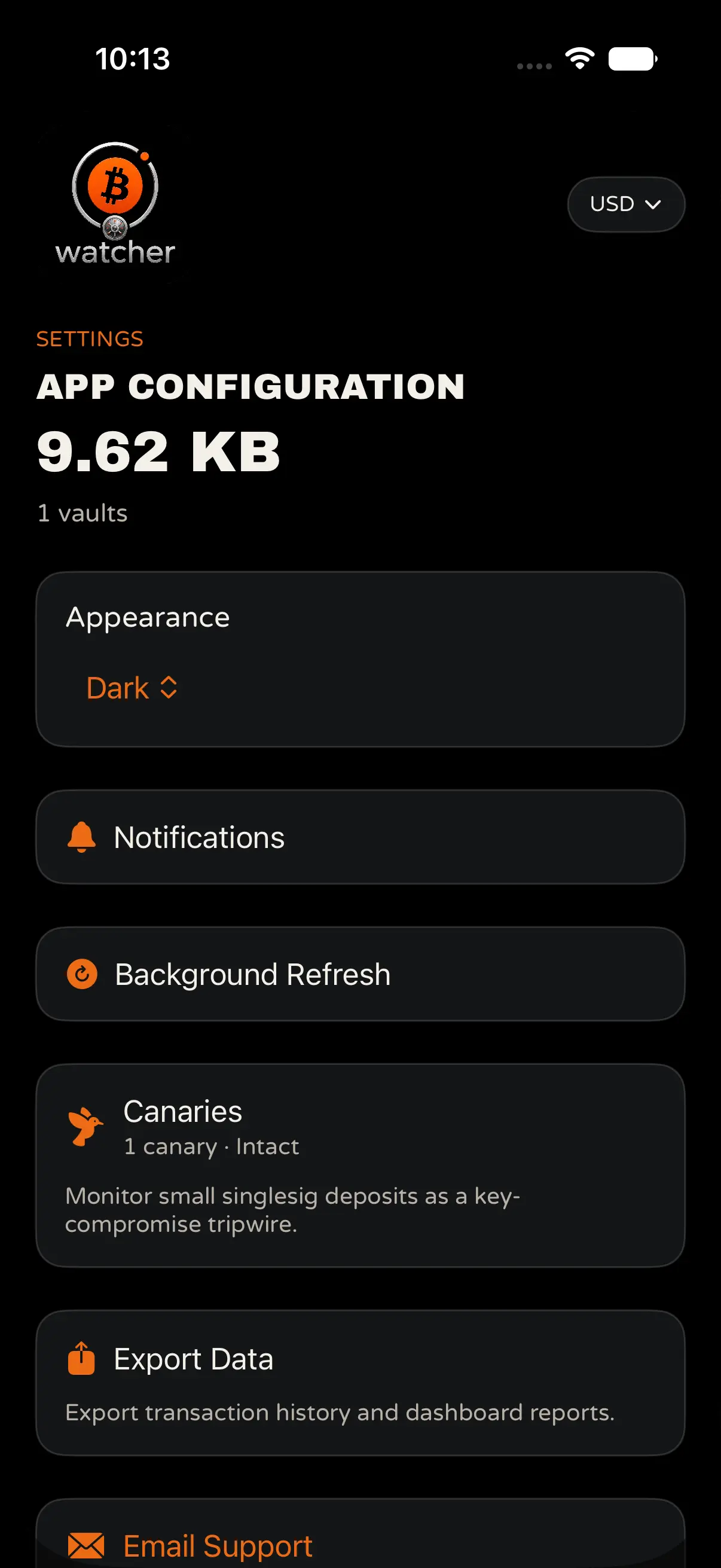
Settings
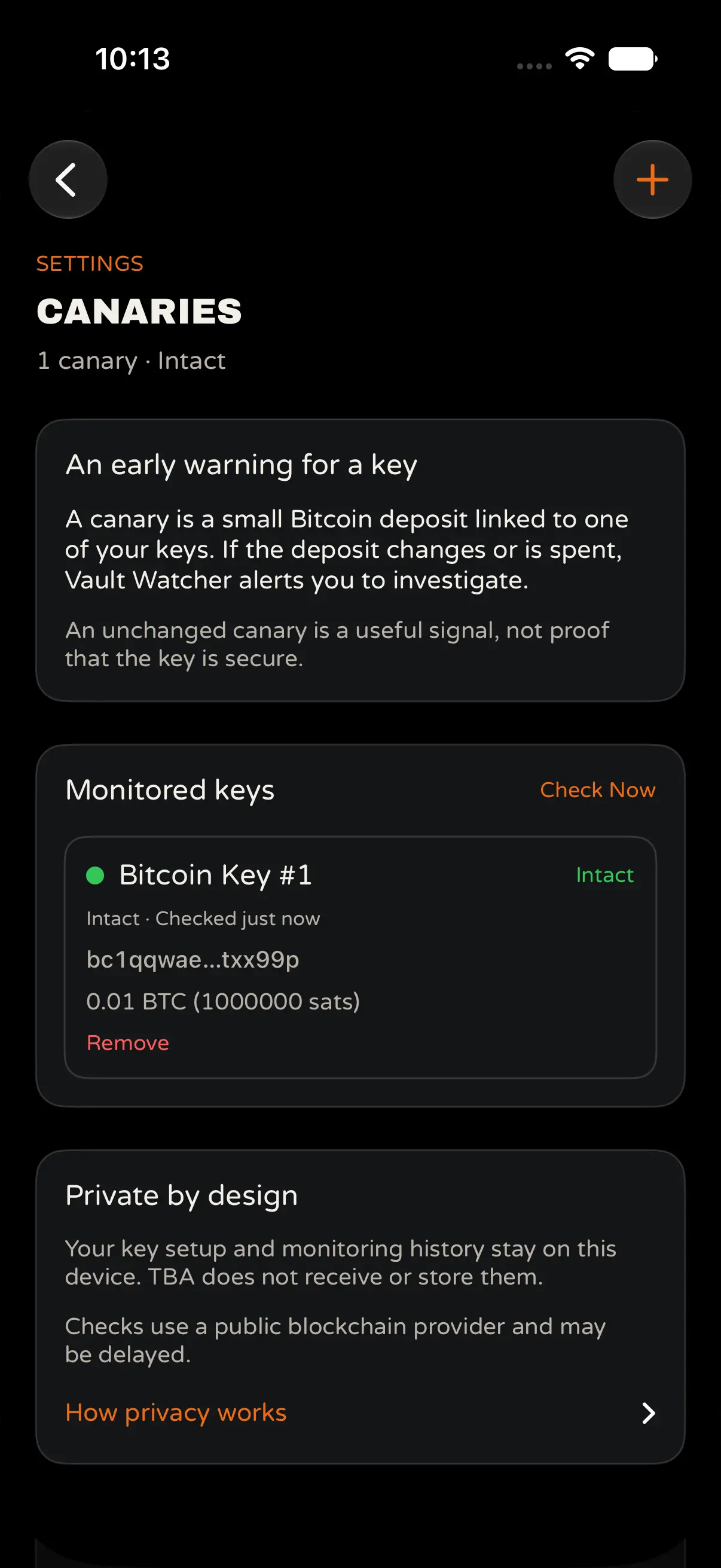
Canaries list
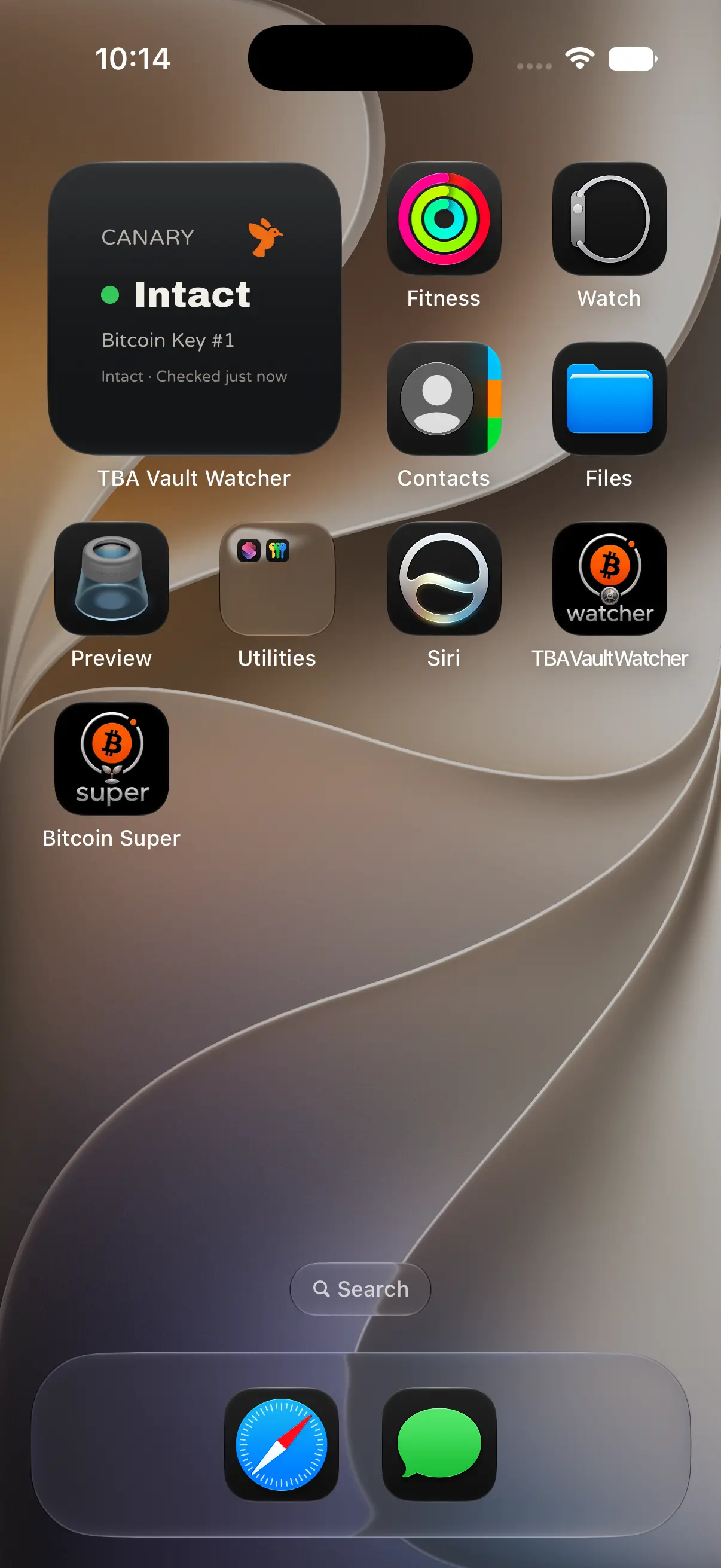
Home-screen widget
Common questions
Does a moved canary mean my vault has been spent?
No. One canary moving does not mean your vault has moved. TBA vaults use 2-of-3 security. One key alone cannot spend the vault. A moved canary is a reason to investigate that key and contact your adviser.
Does an unchanged canary prove my key is safe?
No. An unchanged canary is a useful security signal, not proof the key is secure. Treat it as useful negative evidence, nothing more.
Can Vault Watcher move or sign Bitcoin?
No. Vault Watcher is watch-only. It does not hold keys, sign transactions, or send Bitcoin. It is a dashboard, not a wallet.
Is canary monitoring real-time?
No. Canary monitoring is not a real-time intrusion detection system. Vault Watcher checks for changes and alerts you when movement is detected.
What should I do if I receive an alert?
Do not move your Bitcoin simply because a canary alert appears. First investigate the alert and contact your adviser. The practical next step is usually to investigate the affected key with your adviser and, if required, replace it and create a new vault.