
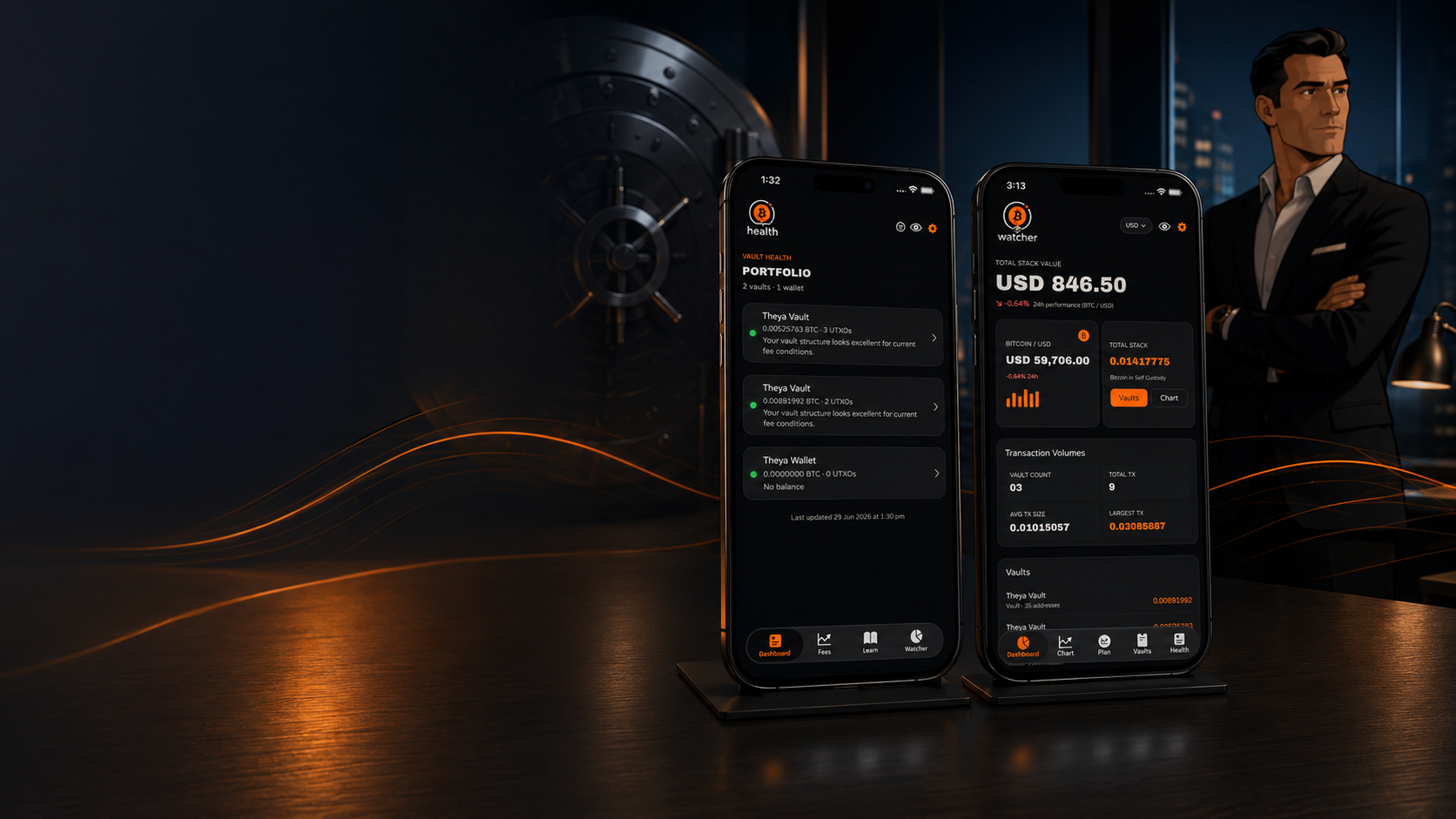
TBA Vault Apps
Three watch-only companion apps for clients of The Bitcoin Adviser. None hold private keys or can move your Bitcoin. Use them for visibility, planning, vault health guidance, and SMSF record keeping while spending and signing stay in Theya, Unchained, or your chosen vault platform.
TBA Vault Watcher
Watch your vault status without holding keys or signing transactions. Version 2.1 adds canary monitoring, home-screen widgets, and full iPhone and iPad support.
Available on iPhone and iPad. Balances, transactions, charts, planning, exports, notifications, and canary alerts.
TBA Vault Health
Focused UTXO health and fee timing. Traffic light indicators and calm guidance on consolidation. iPhone only.
Bitcoin Super
SMSF companion for Australian trustees: FY statements, AUD valuations, and trustee education. App Store: Australia and New Zealand only.
App Store: Australia · New Zealand only
Built to work together on the same iPhone
Import once. Watcher, Health and Bitcoin Super can use the same on-device vault configuration. You do not need all three. Each works on its own. UTXO management guide →
Portfolio Monitoring
Watch your vault. Never expose signing capability.
Think of it as a dashboard, not a wallet. Import public vault configuration (Unchained JSON or Theya descriptor) only. Never paste a seed phrase.
A canary is a small Bitcoin deposit associated with one key. If the canary moves, Vault Watcher alerts you to investigate that key. An unchanged canary is a useful security signal, not proof the key is secure. See the canary monitoring guide.
Vault Watcher cannot send, receive, or sign Bitcoin transactions. Spending stays in Theya, Unchained, or your chosen vault platform under your initiation. Available on iPhone and iPad.
Watch
One view of balances, prices, and activity across vaults.
Canary monitoring
An additional signal around key security.
Planning
Illustrative scenarios. Not financial advice.
From first launch to Dashboard
First launch. Read the Security and Privacy disclosures, review links to our Terms of Service and privacy policy, accept, and land on the Dashboard.
Add a vault. Open the Vaults tab, tap +, and paste Unchained JSON or a Theya descriptor. Optionally add a display name. The app scans the blockchain locally.
Stay current. Pull down to refresh on Dashboard, Chart, Plan, or Vaults. Optional Background Refresh in Settings can update vaults periodically (iOS controls exact timing).
What you see in Watcher
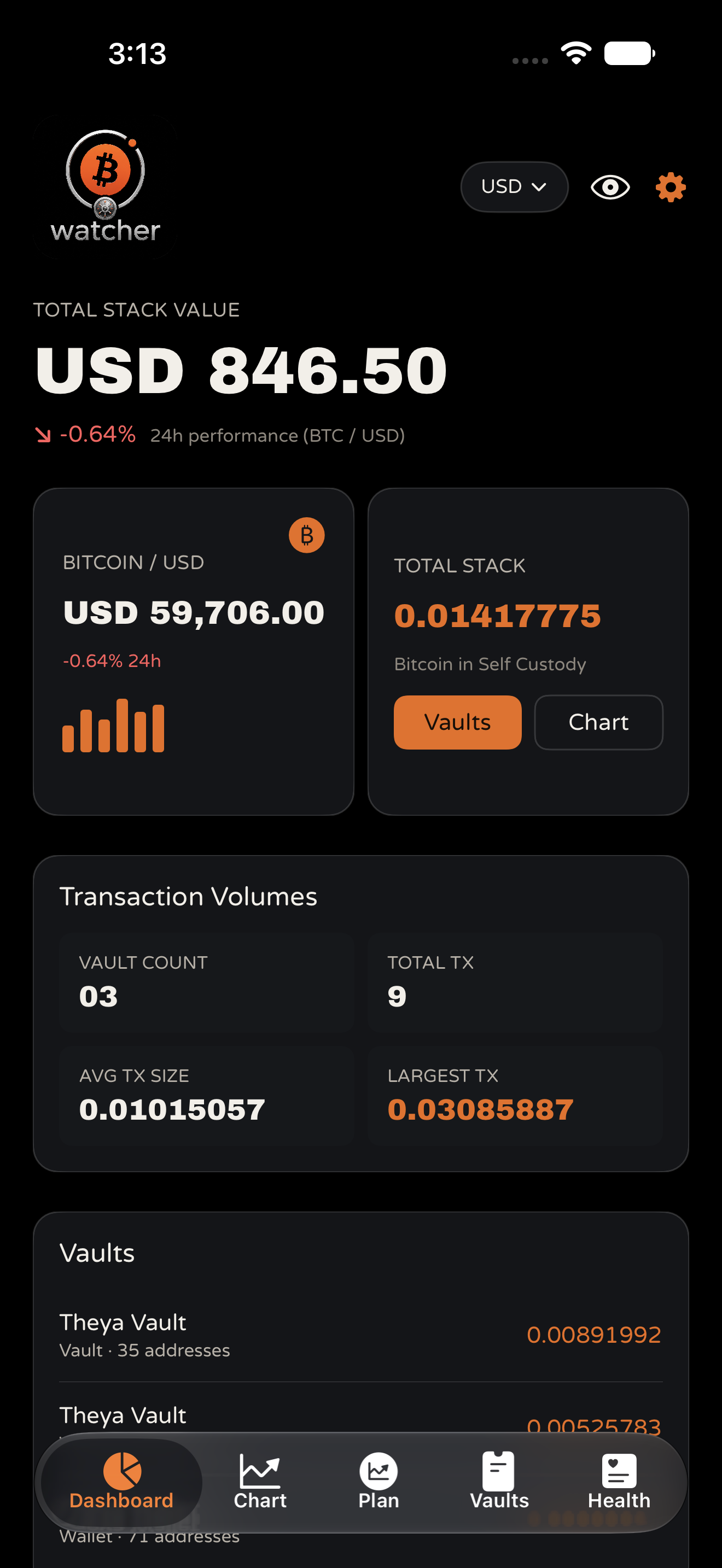
Dashboard
Your whole Bitcoin position at a glance. Total stack value in your chosen currency, live Bitcoin price, transaction feed across all vaults, client milestones, vault list, and dust badges on tiny spam deposits.
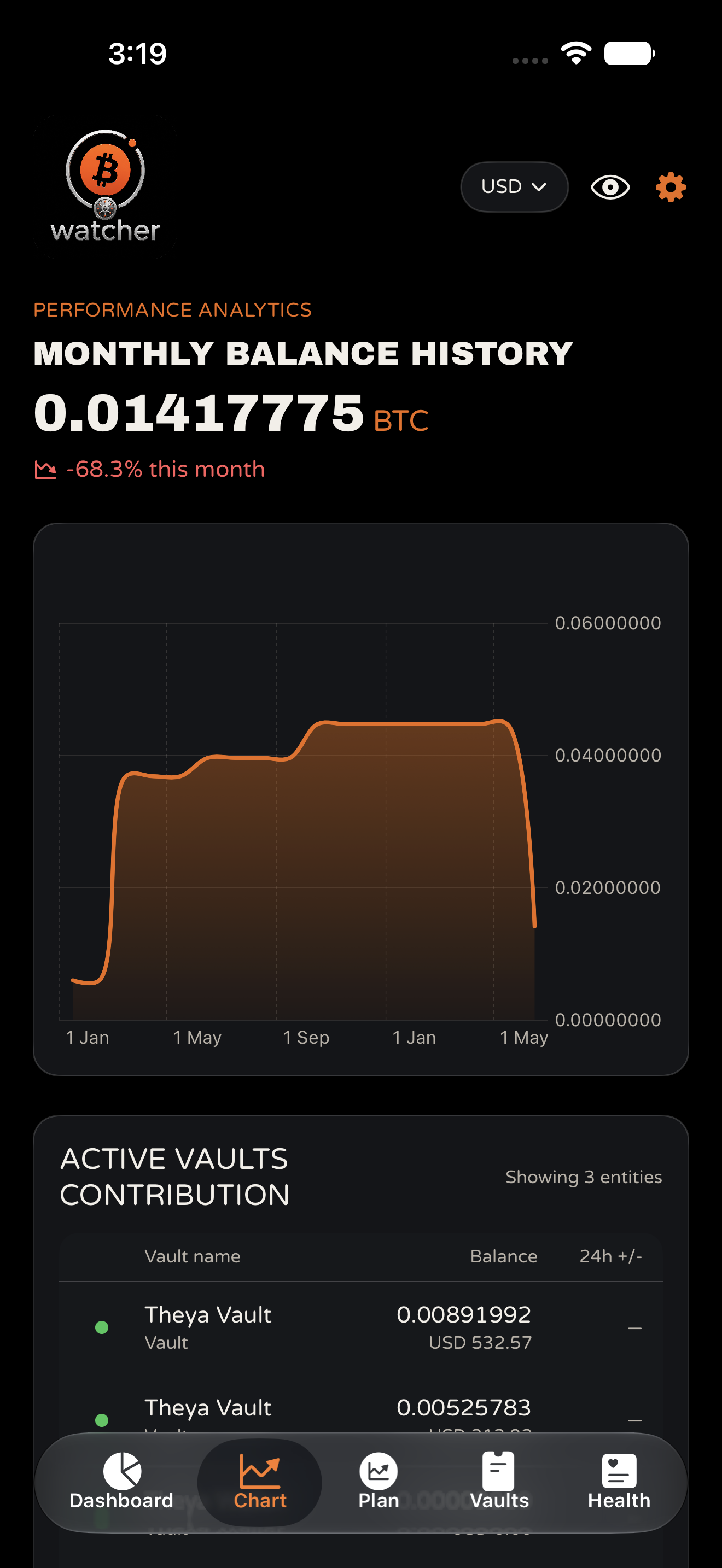
Chart
See how the stack changes over time. Monthly balance history with flexible time ranges, per vault contribution, and month over month change when balances are visible.
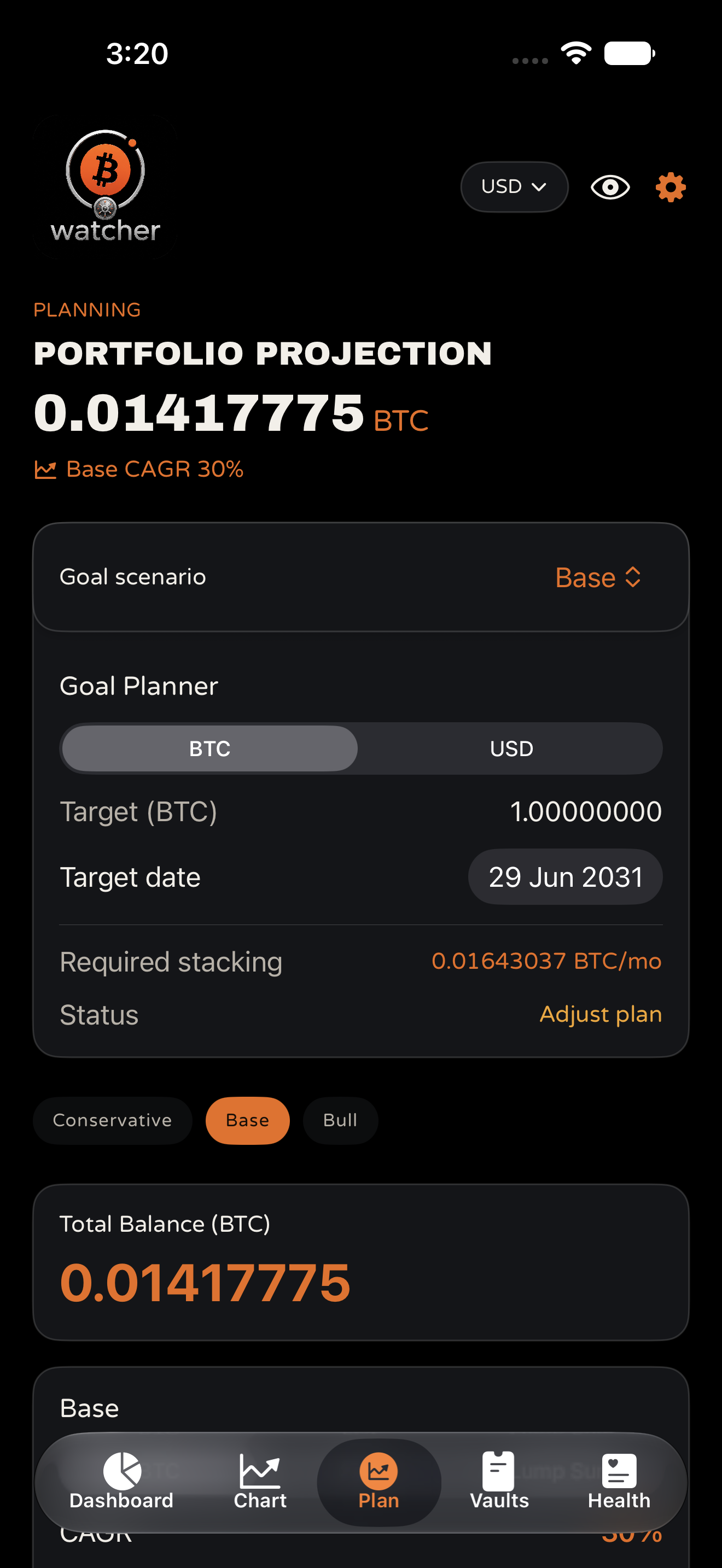
Plan
Model scenarios without turning the app into an advice engine. Conservative, Base, and Bull projections with a goal planner. Illustrative only: CAGR applies to Bitcoin price (not balance), stacking is assumed constant, and taxes and fees are excluded. Not financial advice.
Vaults
Filter and sort all vaults. Vault detail shows statistics, addresses with QR codes, full transaction history, and export PDF and CSV.
Health handoff
The Health tab opens TBA Vault Health for UTXO health scores and fee guidance. Traffic light scores live in Vault Health, not Vault Watcher. See Vault Health →
Exports and notifications
Optional notifications for transactions, milestones, price levels, and canary movement. Hide balances instantly with the eye icon.
Key benefits
- Watch your vault without exposing signing capability
- Canary monitoring provides an additional signal around key security
- Home-screen widgets provide a quick watch-only glance
- Available on iPhone and iPad
- Vault Watcher checks for changes and alerts you when movement is detected (not a real-time intrusion detection system)
UTXO Health and Fee Timing
Understand how your Bitcoin is structured on chain. Plain English guidance on fees, consolidation timing, and when a review might be worthwhile.
Works with Theya and Unchained 2 of 3 multisig and singlesig wallets. Strictly watch only: it cannot move funds or access private keys. Available on iPhone only.
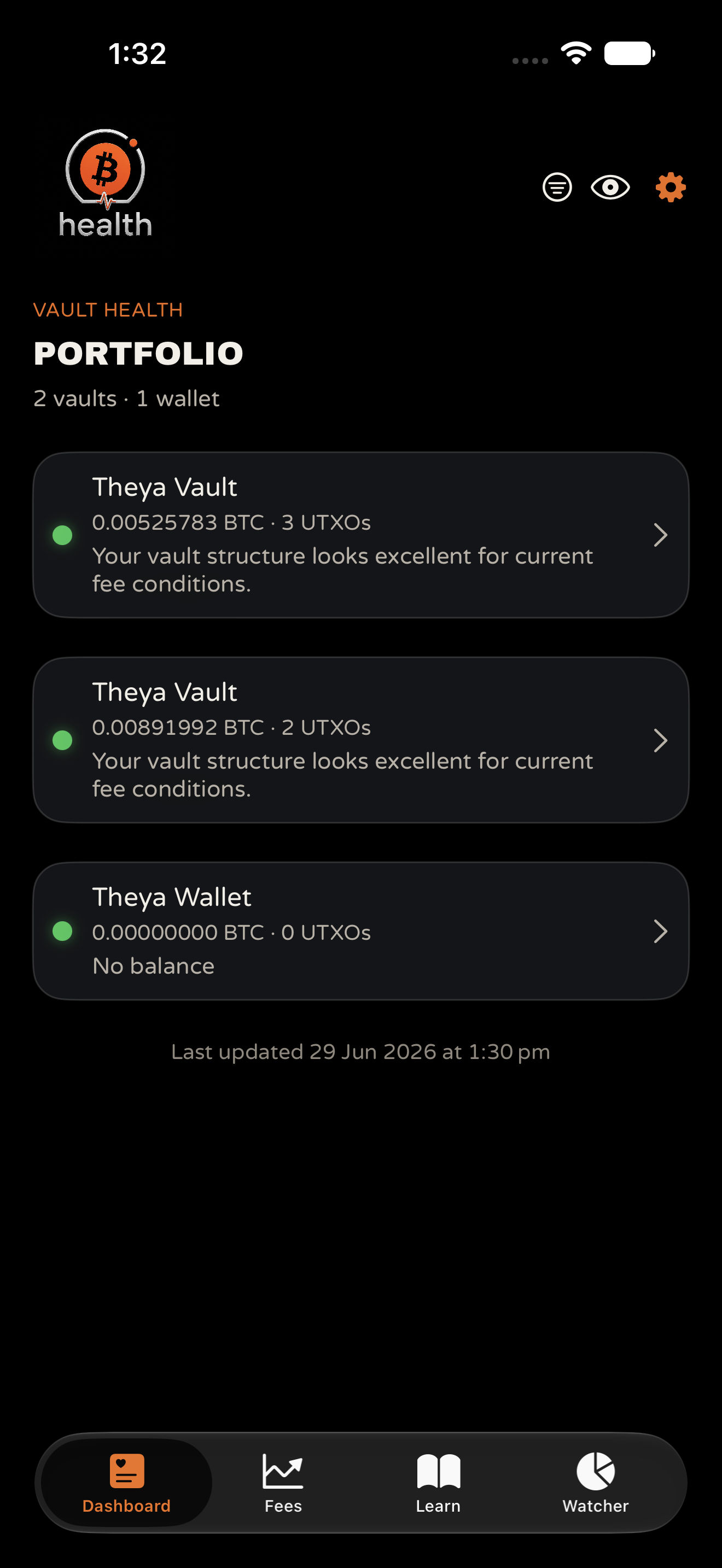
UTXO Health
Traffic light dots, balance, UTXO count, and plain English summaries.
Fees
Network conditions and per vault fee scenarios before you consolidate.
Learn
UTXOs, fees, privacy, and safe consolidation. More on our UTXO management page.
Two ways to add vaults
Option A: Use Vault Watcher
If you already use TBA Vault Watcher on the same iPhone, install Vault Health and your vaults may appear after a moment. Pull down on the Dashboard to refresh if needed.
Option B: Import manually
In Settings, paste your Unchained JSON or Theya descriptor under Import Vault Config, tap Save Config, and return to the Dashboard.
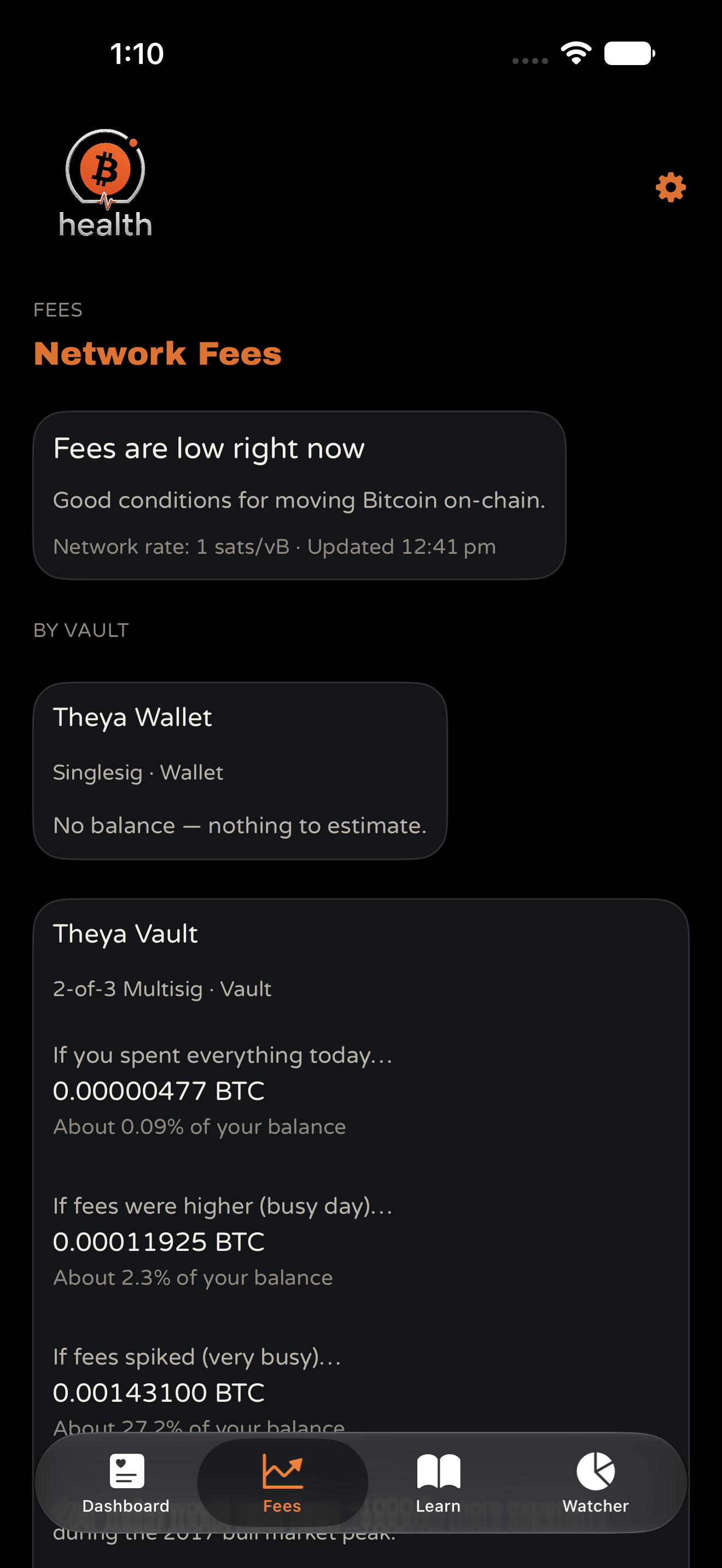
Fee timing
Network fee conditions (low, moderate, elevated, very high) and per vault scenarios: cost if you spent everything today, on a busy day, or during a fee spike.
Traffic light colours and detail labels are informational, not instructions to move funds immediately. Speak with your Bitcoin Adviser before changing vault structure.
SMSF Trustee Companion
Watch-only iPhone companion for Australian SMSF trustees. Fund balance in AUD, Australian financial year statements, custody and audit education, and illustrative retirement scenarios. No keys. No signing.
Operational evidence and education, not SMSF advice. App Store: Australia and New Zealand only. Pathway questions: BitcoinSuper.io. Implementation: Bitcoin SMSF.
App Store: Australia · New Zealand only
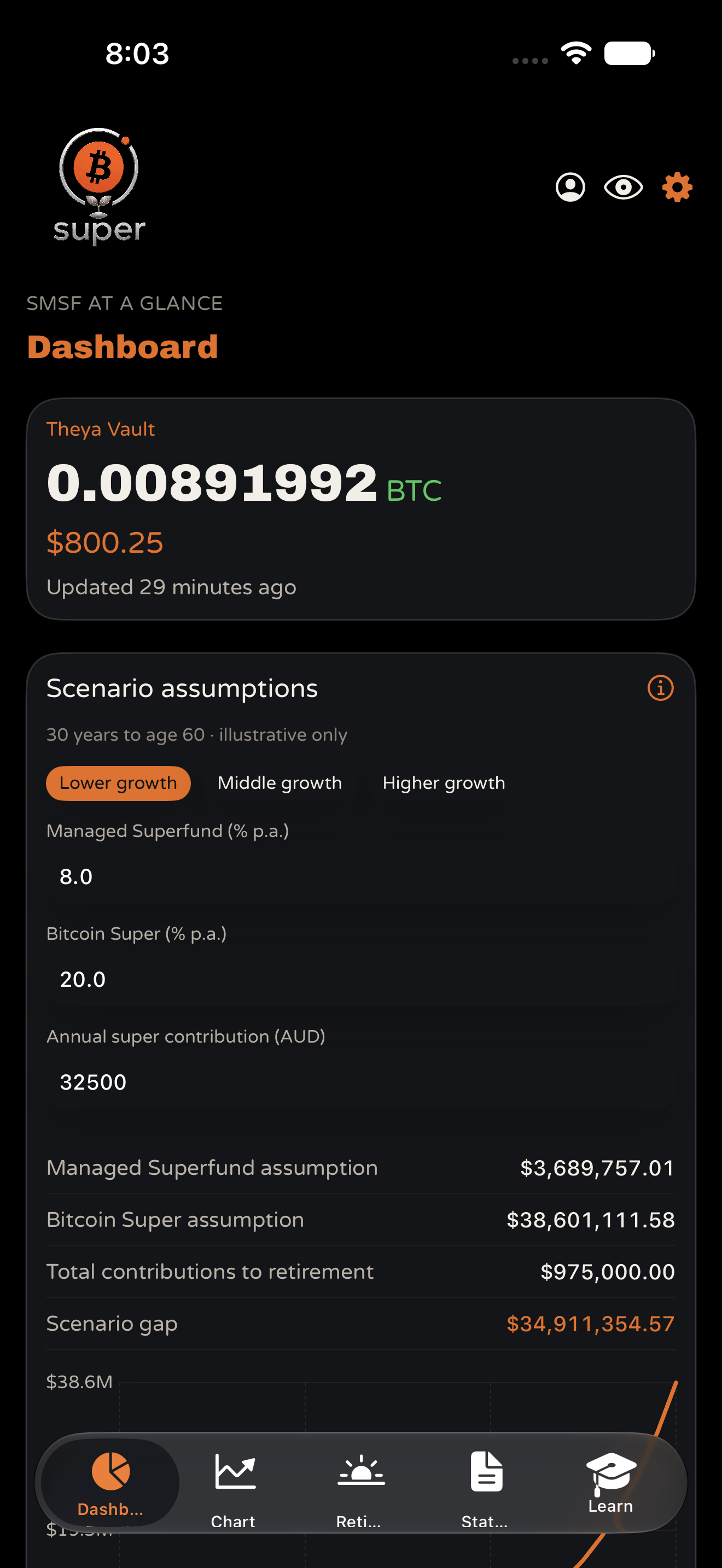
Statements
FY opening and closing balances with TXIDs valued in AUD.
Audit evidence
Aligns with the SMSF Bitcoin Audit Guide. Supporting evidence only.
Retirement framing
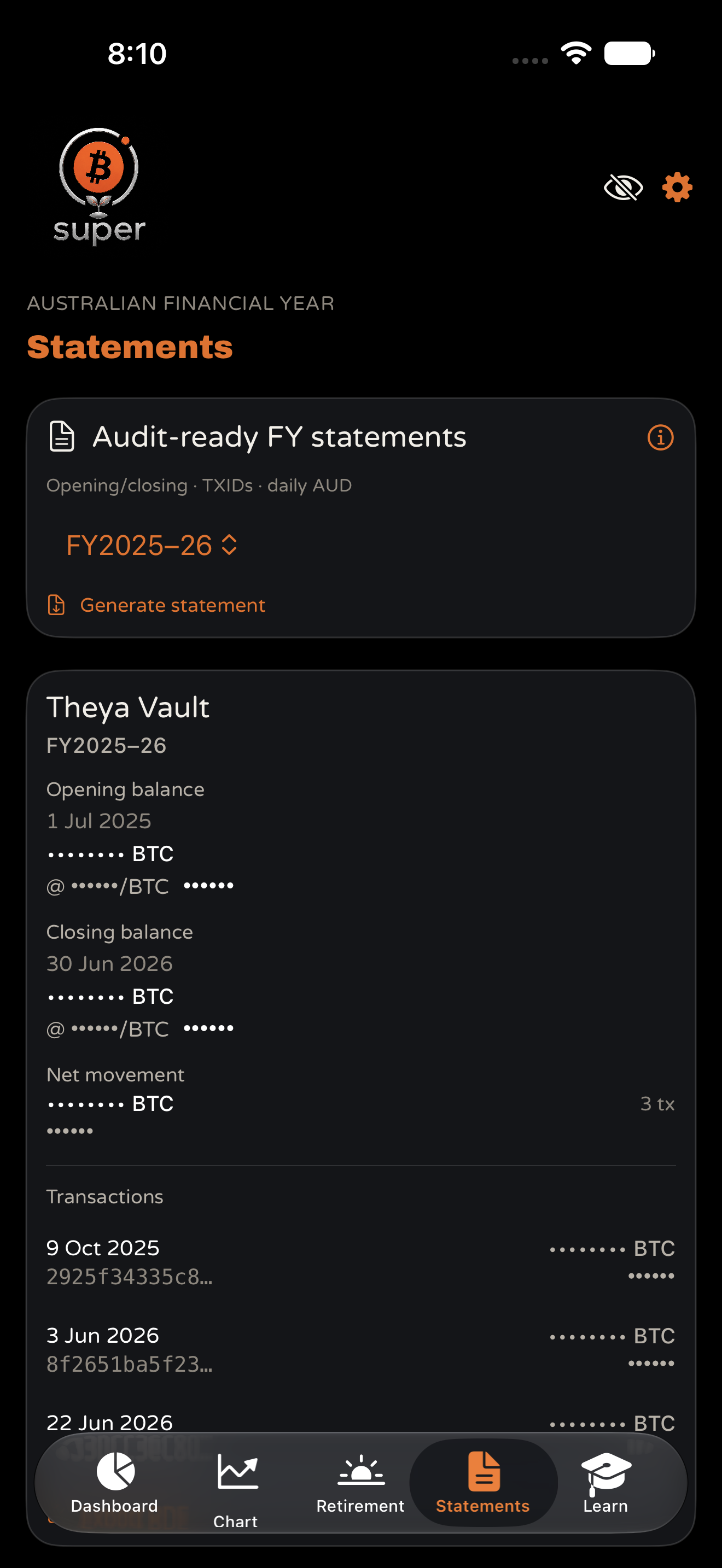
Illustrative scenarios. Same model as the BitcoinSuper calculator. Not a forecast.
From import to statement
Import or sync. Paste Unchained JSON or a Theya descriptor in Settings, or use vaults already in the shared store from Vault Watcher on the same iPhone.
Select your SMSF vault. Choose which vault(s) represent the fund. Selection applies to Bitcoin Super only.
Generate statements. Pick a financial year on the Statements tab and export supporting transaction detail with AUD valuations.
Cross-check records. Use balances and TXIDs alongside your administrator pack and the core evidence set.
Statements
Generate FY opening and closing balances, net movement, and transactions with TXIDs valued in AUD per calendar day (Sydney). Supporting evidence only.
Learn modules cover bitcoin in an SMSF, collaborative security, asset separation, core evidence, 30 June valuation, and why auditors never need keys. Full page: bitcoinsuper.io/bitcoin-super-app · Assumptions
App Store: Australia · New Zealand only
Your Data Stays on Your Device
All three apps are watch only. They use public vault configuration (extended public keys and descriptors) only. They never see private keys or seed phrases.
- On device storage: Vault Watcher encrypts config in Keychain and stores transaction history locally on your iPhone or iPad. Vault Health and Bitcoin Super store their data on your iPhone (Health and Super are iPhone only).
- No iCloud sync and no cloud accounts required.
- Hide balances with the eye icon in any app.
- Same iPhone sync between Watcher, Health, and Bitcoin Super uses shared on device storage only (Health and Super run on iPhone). Data is not transmitted to The Bitcoin Adviser automatically.
- Reset App in any app clears vault data on the device, including shared data used by companion apps.
Vault Watcher first launch references our site Terms of Service and the unified privacy policies below. Users are responsible for securing their device.
For complete details, see our TBA Vault Apps Privacy Policy and Bitcoin Super app privacy (in the BitcoinSuper.io Privacy Policy).
In short: Watch only. Observe, do not control. Vault Watcher on iPhone and iPad for monitoring, planning, canary alerts, and widgets. Vault Health and Bitcoin Super on iPhone only. On-device storage, no iCloud sync, no accounts. Your Bitcoin stays untouched. You stay informed.
Have Questions?
For questions about TBA Vault Apps, privacy, or support, email contact@thebitcoinadviser.com. For Bitcoin Super questions, email info@bitcoinsuper.io.
If you hold Bitcoin in an SMSF, the SMSF Bitcoin Audit Guide explains what auditors typically look for. Vault Watcher and Bitcoin Super can help align on chain balances with your records; they do not replace formal evidence. Bitcoin Super is on the App Store in Australia and New Zealand only.